
Making videos is becoming easier and easier. Whether it’s for posting on YouTube, Instagram, TikTok or to keep memories with family, a decent video editing software can make a difference. The necessary app can cut down on all the unnecessary parts, add music, include text, apply effects, and make your videos look professional without having to use advanced skills. Best Video Editing Apps
The number of editing apps out there makes it hard to choose which ones are the best. Some are geared towards beginners, others give advanced features to the experienced creators. In this blog, you’ll learn about the top video editing apps that are easy to use and feature very useful tools.
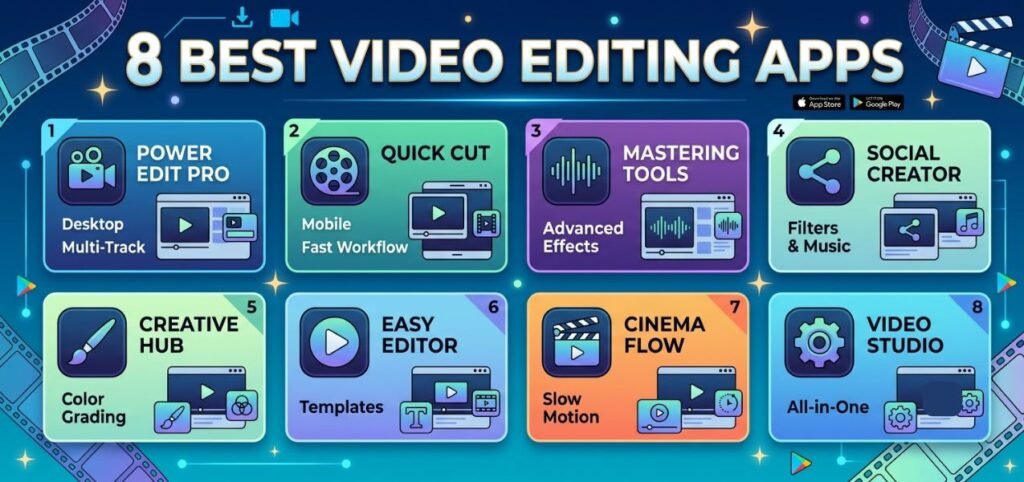
8 Best Video Editing Apps
1. CapCut
CapCut is one of the most popular video editing apps in the market. It’s entirely free, simple to work with and has a ton of pro features. Trim, add in transitions, insert text, apply filters and add background music in just a few taps.
CapCut also offers templates to help you create engaging videos easily. Ideal for making brief videos for social media sites such as TikTok, Instagram Reels, or YouTube Shorts.
2. Adobe Premiere Rush
Adobe Premiere Rush is for those who are looking for easy editing but high quality output. It is used on the mobile device and computer, and you can edit your projects from anywhere.
An app to help you edit clips, colorize them, add titles and enhance the sound. It also allows for direct sharing to the popular social media.
3. InShot
InShot is a further great video modifying application that has gained millions of consumers. It has all the essential editing tools you need, such as trimming, splitting, speeding up, filters, stickers and music.
One of its best features is its video resizing feature for various social media websites. From a square video for Instagram to a vertical video for TikTok, InShot makes it easy.
4. KineMaster
KineMaster is an advanced editor with numerous features. Supports multiple video layers, blending modes, voice recording, animations, and special effects.
It’s packed with features that many beginner apps are lacking but after a bit of practice, users can follow the interface.
5. VN Video Editor
VN Video Editor is a free application with little or no learning curve. It offers professional editing capabilities and doesn’t add a watermark to the exported video in many situations.
Transitions, text animation, music and slow motion effects can be added. The application also has high quality video exporting capabilities.
6. iMovie
For iPhone, iPad or Mac users, iMovie is one of the top editing software. It’s available with Apple devices and has a clean, easy-to-use user interface.
Make video clips with themes, titles, sound effects and transitions. It also has the ability to support 4K video editing.
7. PowerDirector
PowerDirector marries ease of editing with features. It provides tools powered by artificial intelligence, video stabilization, green screen editing, motion tracking, and tons of visual effects.
Even with the many advanced options, this app is easy to learn and navigate through for beginners.
8. Filmora
One of the most notable characteristics of Filmora is its user-friendly interface and intuitive editing capabilities. It comes with hundreds of effects, transitions, filters, stickers and royalty free music.
The app also has AI-powered editing features that make it easier and quicker to edit, even for users who have no editing background.
Features to Look for in a Video Editing App
Before choosing a video editing app, consider the following features:
- Easy-to-use interface
- Video trimming and splitting
- Text and title options
- Music and sound effects
- Filters and transitions
- Speed control
- High-quality video export
- No watermark (or affordable premium option)
- Social media sharing
- AI editing tools
These features can save time and help you create better videos with less effort.
Free vs Paid Video Editing Apps
There are many video editing software that provide free but includes some helpful functionality. They are ideal for newbies or those who use them as and when they like. Some free versions might have watermarks, ads, or have limited effects.
Premium versions typically open premium templates, offer more editing features, Cloud storage and better exports. For those who produce videos regularly, it may be worth the investment to get a quality version.
Which Video Editing App Is Best?
The best app will vary depending on needs.
For beginners, CapCut, InShot, and iMovie are great options as they are user-friendly and easy to use.
If you are looking for more advanced features, KineMaster, PowerDirector and Filmora have professional editing options but are not as complicated to use.
Adobe Premiere Rush offers a seamless editing experience across devices, making it an ideal option for users who are already familiar with Adobe’s products.
Tips for Better Video Editing
Even the best editing app cannot replace good editing habits. Here are a few simple tips:
- Keep your videos short and engaging.
- Use smooth transitions instead of too many effects.
- Add clear text that is easy to read.
- Choose background music that matches the mood.
- Improve audio quality whenever possible.
- Export videos in high resolution for the best quality.
- Practice regularly to improve your editing skills.
Final Thoughts
Content creators, businesses, students, and even families looking to capture special moments rely on video editing for its importance. Fortunately, the editing of videos now is made simple and enjoyable with today’s video editing software.
From the options mentioned, you can select the app suitable for your needs and experience level: CapCut for fast video creation in social apps, iMovie for Apple users, Adobe Premiere Rush for professionals, and Filmora for those looking to create creative videos.
Use the free app to understand the basic functions and then expand your knowledge as you become more comfortable with the app. With some creativity and a video editing app, you can make videos that will grab your folks’ attention and will have a lasting impression.