
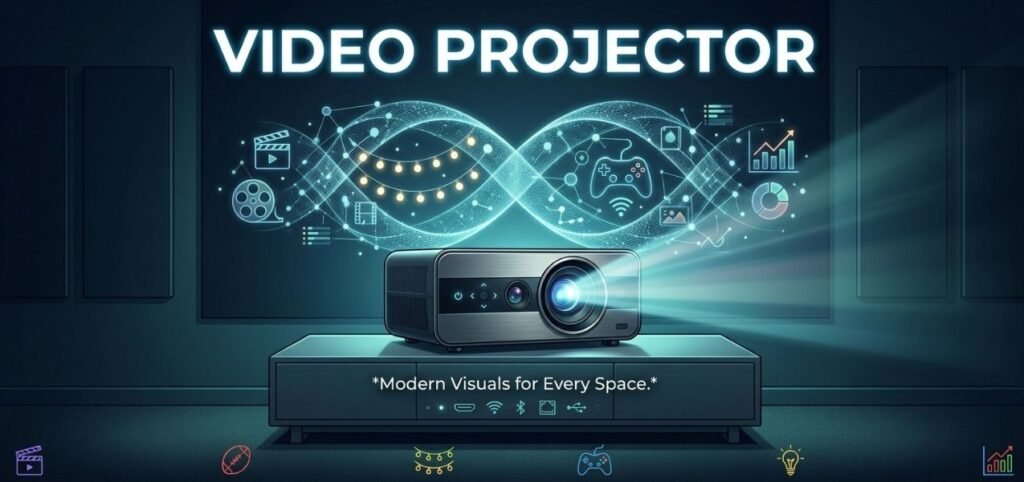
A video projector is a wonderful device that can play videos, photographs, shows, etc. on the big screen or wall. It is widely employed in classrooms, meeting rooms, schools, in the home and in office buildings. A projector can make a much larger picture than a small TV or computer screen.
There are so many options for video projectors these days, it can be confusing to select the right one. But if you’re familiar with a few of the features, it’ll be much easier.
What Is a Video Projector?
A video projector is an electronic device that displays an image or video signal on a larger surface from a source. It can be a laptop, computer, gaming console or streaming device, a Blu-ray player, or a smartphone.
The image is produced by a lamp, a light emitting diode (LED) or a laser. This image is then focused by a lens onto a wall or screen with the help of the projector. The image is small or can be several feet wide, depending on the model.
How Does a Video Projector Work?
The operation of a video projector is very simple. The video or image information from a connected device is fed into the projector. It then processes this information and creates the picture.
Light from a light source in the projector is bright. The image is created by the projector’s built-in display technology. Finally, the lens enlarges and focuses the image on a wall or projection screen.
An up-to-date projector can deliver clear images, with good color and brightness. Some models are even capable of streaming and connecting to the internet via a wireless network, and only need a few cables.
Common Types of Video Projectors
There are several types of projectors available for different needs.
- LCD projectors use liquid crystal displays to create images. They are often known for producing bright and colorful pictures and are commonly used for presentations and education.
- DLP projectors use tiny mirrors to create the image. They can provide smooth video and are popular for home entertainment and business use.
- LED projectors use LED lights instead of traditional projector lamps. They usually have a long light-source life and can be smaller and easier to carry.
- Laser projectors use lasers as their light source. They can offer high brightness, excellent image quality, and long operating life. However, they are often more expensive than basic models.
Important Features to Consider
When buying a video projector, it is important to look at several features.
- Brightness: Brightness is typically given in lumens. If more light is available in the room, a brighter projector would be helpful. If you have a dark home theater you might not require super-high brightness. But if you’re in a classroom or office, it might need a brighter model.
- Resolution: Resolution is the clarity of the image projected. Typical resolutions are HD, Full HD and 4K. Higher resolution will give more detail, particularly when enlarging an image.
- Contrast: Contrast is the range of light and dark that exists between the objects of a picture. Effective contrast can enhance the depth and detail of movies and videos.
- Connectivity: Look at what kinds of connections the projector has. HDMI is widely used in laptops, gaming consoles and streaming devices. Some models also feature USB, Bluetooth and Wi-fi connectivity.
- Throw Distance: Throw distance: The distance between the projector and the screen for a specified size image. A short-throw projector can project a large image from a relatively close distance away from the wall.
Using a Video Projector at Home
You can convert a regular room to a basic home theater with a video projector. It can be hooked up to a streaming box, tablet or a video game console and play movies and video games on a huge display.
Ideally, the projector is used on a darker backdrop. The correct projection screen can also enhance the picture quality. If you don’t want to purchase a screen, however, a clean white wall can be effective.
Ensure that the projector is on a stable surface or is securely supported. It should also provide adequate clearance from it for adequate ventilation.
Video Projectors for Work and Education
Projectors can also be used for professional and educational use. They can be used by teachers to show lessons, photos, videos and educational information to an entire class.
A video projector can be used for meetings, training, presentations and video conferencing in offices. A large projected image makes it easier for everyone to see vital information in the room.
For those who are on the move a lot for work, portable projectors can come in handy. They are generally lighter in size and more portable than conventional ones.
Benefits of a Video Projector
The major advantage of a projector is the large screen it provides. You can produce an image that’s larger than most TVs (but you don’t need to purchase a very large TV).
In addition to its flexibility, projectors are also versatile. They can be transferred from room to room or used for various purposes. Furthermore, the majority of the latest models are compact and simple to arrange.
Another benefit is the enhanced viewing experience. Viewing a movie, sport or game on a large screen can be more thrilling and immersive.
Tips for Maintaining Your Projector
With appropriate care, your projector can last longer. Do not allow dust to accumulate around the device or the air vents, keep them clean. It is also crucial to ensure the proper ventilation of the projector, as they can generate heat during use.
Do not cover the cooling vents of the projector and do not store the projector while its cooling is not finished. Replace the lamp as per manufacturer’s instructions, if your model has a replaceable lamp.
Final Thoughts
A video projector is a handy tool to provide a large screen view at home, at work or at school. There are a variety of options available when it comes to brightness, resolution, size and connectivity features, so there’s a projector for nearly every use.
When purchasing one, consider who will be using it, the size of the image you’d like to achieve and the devices you will require to connect to it. If you select the best features, you’ll be able to see clear presentations, exciting games and entertaining movies on a much bigger screen.